Contact Us or WhatsApp us at+91 91191 91746for support and business inquiries.

Menu
Delete YourAccount
Account Deletion: Simple Steps to Permanently Remove Your Data. Irreversible Process - Consider Carefully.
Account Management
Steps To Delete Account
We're sorry to see you go, but if you've made the decision to delete your account, we want to make the process as simple and transparent as possible.
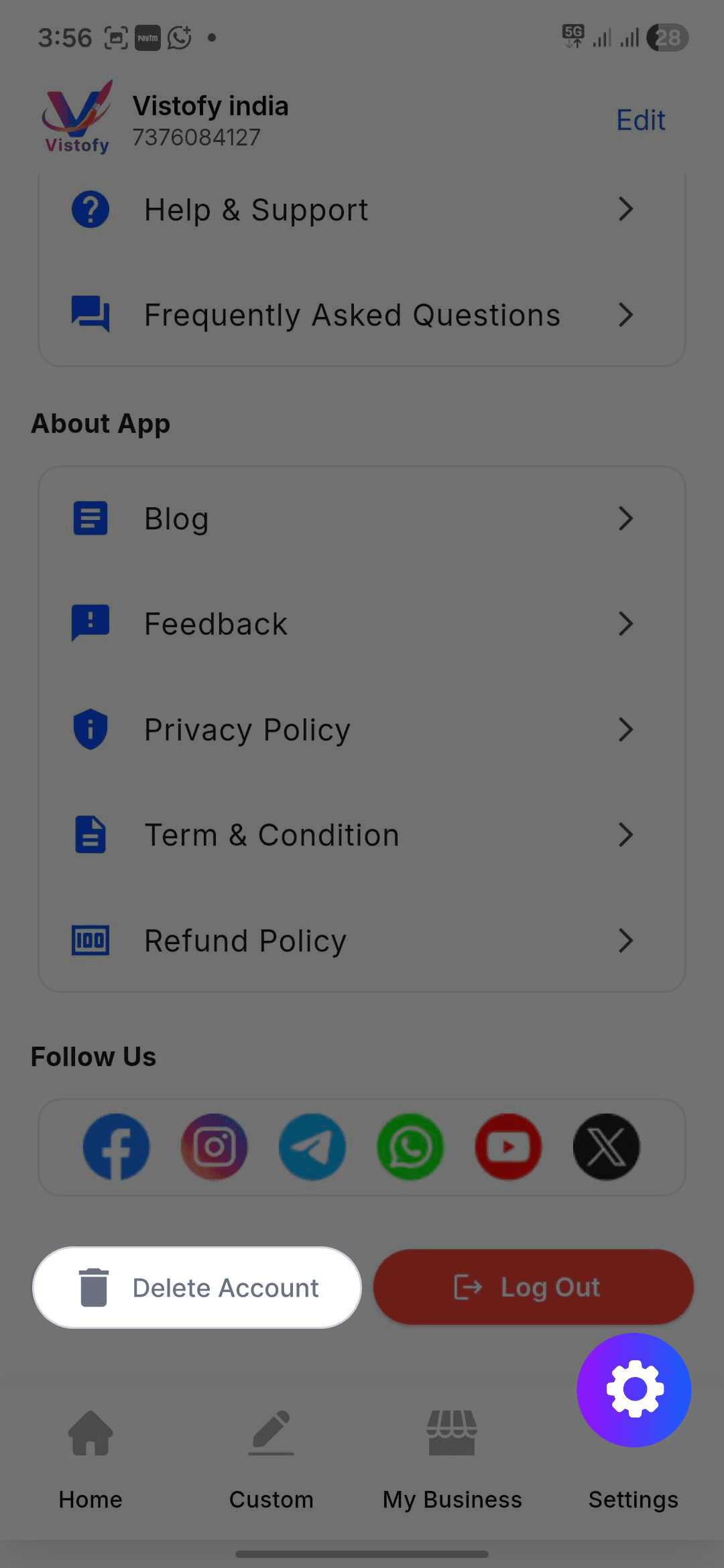
Navigate To Settings
Open the application and click on the "More" option from the bottom navigation menu. Then select "Delete Your Account".
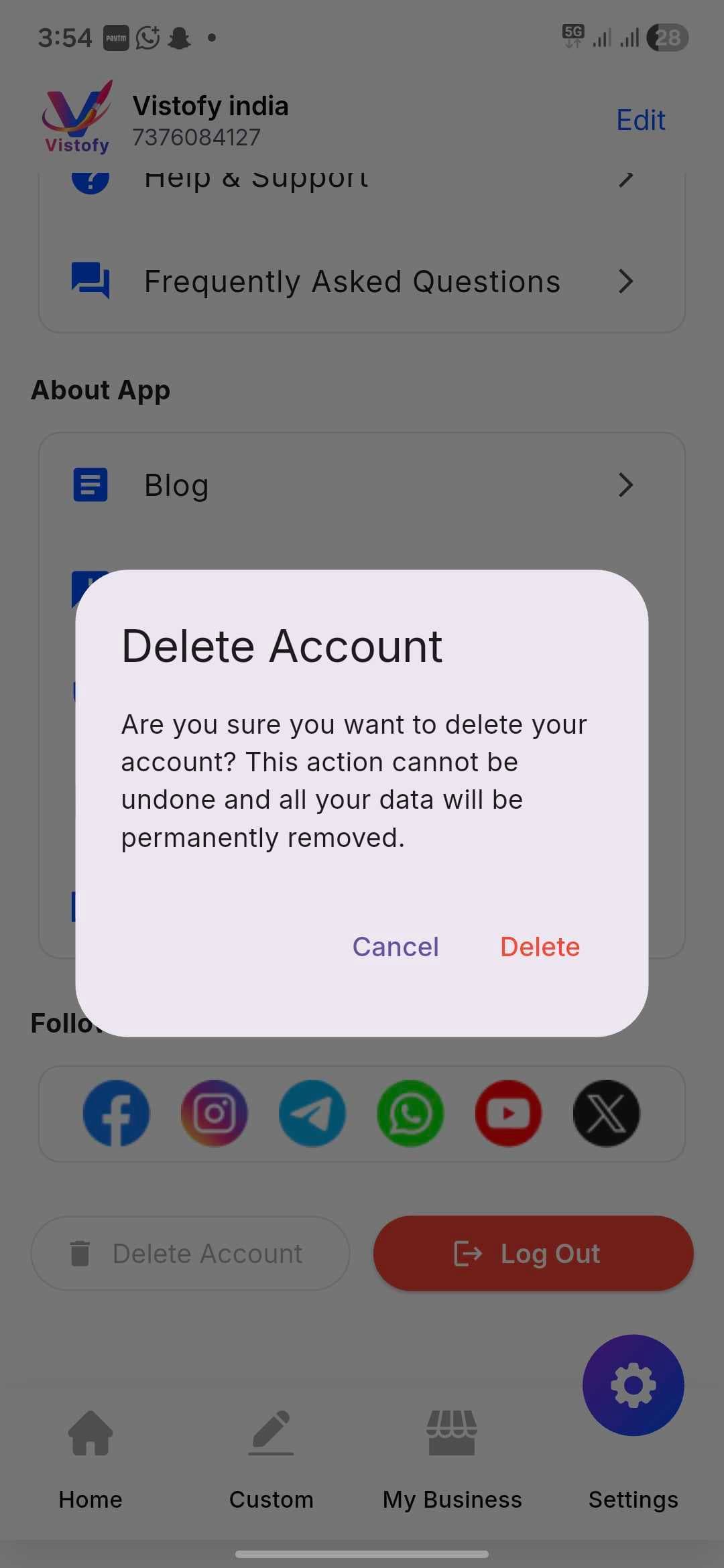
Confirm Deletion
Once you open the delete account page, click on the "Delete Account" button to permanently remove your account and associated data.
Important
Important Note
Irreversible Action
Deleting your account permanently removes your profile information, preferences, and associated data from our database.
No Recovery
Once the deletion process is complete, your account and associated information cannot be recovered.
Need Assistance?
If you face any issues during the process, contact our support team for help and guidance.
We Value You
Thank you for being part of our community. We’ll always welcome you back in the future.
Need help regarding account deletion?